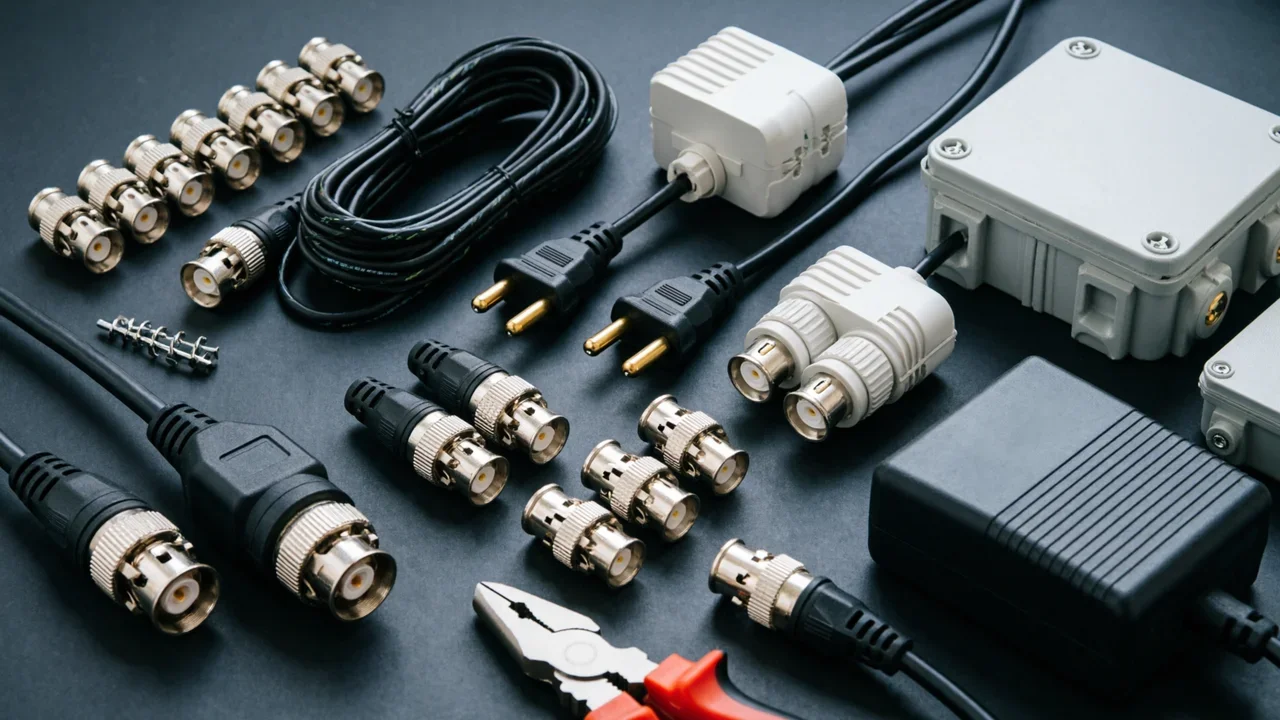
Complete CCTV Installation Accessories Checklist
Professional CCTV installation checklist covering power supplies, cables, connectors, mounting hardware, and tools. Everything you need for reliable security camera systems.
Introduction
Most CCTV installations fail not because of the cameras themselves, but because of the accessories that get overlooked. Power supplies that can't handle load. Cables that degrade over distance. Connectors that corrode in outdoor environments. This checklist covers everything you need for a professional CCTV installation that lasts.
Essential Power Accessories
Selecting the Right Power Supply
The power supply is the heartbeat of any CCTV system. Get it wrong and you'll be dealing with camera dropout, night vision failure, and constant maintenance calls.
For small installations (1-4 cameras), individual adapters work fine. For larger systems, use a centralized power supply with a distributed topology — it makes troubleshooting easier and provides better load balancing.
Power supply sizing formula:
- Add up the wattage of all cameras
- Multiply by 1.2 for headroom (prevents overheating and extends lifespan)
- Round up to the next standard rating
For example: Four 12W cameras = 48W × 1.2 = 57.6W. Round up to a 60W or 75W unit.
Power Distribution Components
Plan your power runs like you plan your network drops:
- Power splitters let you feed multiple cameras from a single supply
- Extension cables with weatherproof junctions extend reach without voltage drop
- DC pigtails provide quick-connect termination at the camera end
For IP systems, consider PoE (Power over Ethernet) — it eliminates separate power runs and uses the same cable for data and power.
Cable Management
Cable Types for CCTV
| Application | Cable Type | Max Distance |
|---|---|---|
| Analog CCTV | RG59 Coaxial | 300m |
| IP Camera (PoE) | Cat5e/Cat6 | 100m |
| Analog over Cat5e | Video Balun + Cat5e | 600m |
Don't mix cable types in the same run. Consistent impedance throughout the run prevents signal reflection and ghosting on the image.
Cable Accessories
Keep your cable runs clean and protected:
- Cable clips and staples secure the run at regular intervals
- Conduit and trunking protect exposed runs in public areas
- Junction boxes provide maintenance access points
- Cable glands weatherproof penetration points
For outdoor runs, use UV-resistant conduit. Standard grey PVC degrades in sunlight within 18 months.
Mounting Hardware
Camera Mounts
Match the mount to the camera type and location:
- Wall mounts for most bullet cameras and domes
- Ceiling mounts for indoor domes
- Pole mounts for external corners and posts
- Corner mounts for building corners
- Junction boxes when you need to recess connections
Check the load rating. PTZ cameras and hooded outdoor domes can exceed 5kg — some mounts aren't rated for this.
Outdoor Protection
Outdoor cameras need additional protection:
- Weatherproof housings extend camera life in harsh environments
- Sun shields prevent heat buildup on south-facing installations
- Heaters for cameras in freezing climates (usually integrated in professional units)
- Surge protectors at the cable entry point guard against lightning induction
Tools Every Installer Needs
Professional installation requires more than a drill:
| Tool | Purpose |
|---|---|
| Cable tester | Verify continuity and identify faults before energizing |
| Multimeter | Check voltage at camera end, verify PoE pins |
| Coax crimper | Terminate BNC connectors cleanly |
| RJ45 crimper/stripper | Terminate IP cables to standard |
| Fish tape | Pull cable through conduit |
| Tone probe | Trace cables in complex runs |
| Compression tool | For professional-grade BNC and connector termination |
Skimp on tools and you'll spend twice as long on each installation.
Connectors and Adapters
Common Connector Types
- BNC connectors for analog video (twist-on for quick jobs, crimp-on for permanent installs)
- DC power connectors (barrel jacks, terminal blocks)
- RJ45 for IP cameras and network equipment
- Audio connectors if your cameras have two-way audio
Always keep spare connectors on hand. A 5-minute connector failure shouldn't stop an installation.
Connector Best Practices
Crimp connectors properly — loose crimps cause intermittent faults that are hard to diagnose. Use the correct tool for the connector type. Twist-on BNC connectors work for quick jobs but fail more often than properly crimped ones.
FAQ
What power supply do I need for a 4-camera system?
Add up the camera wattage, multiply by 1.2, round up. Four 12W cameras need at least a 60W power supply. Always check the camera's actual power draw — specifications are often conservative.
Can I use regular Cat5e cable for analog CCTV?
Yes, with video baluns. Baluns convert the analog signal to a differential signal that travels over twisted pair. You can run analog video up to 600m this way. For IP cameras, use Cat5e/Cat6 directly.
How often should I replace coaxial cable?
Quality coaxial cable lasts 10-15 years indoors. Outdoor runs depend on UV exposure and weatherproofing. Inspect connectors annually — corrosion is the most common failure point.
What's the maximum cable run for PoE?
100 meters (328 feet) for standard PoE (802.3af). Extended PoE (802.3bt Type 4) can reach 200m with specialized equipment. For longer runs, use network switches as repeaters.
Do I need surge protection?
Yes, especially for outdoor installations. A nearby lightning strike induces voltage spikes in cable runs. Install surge protection at the entry point and at the camera end. It won't survive a direct strike, but it handles induction.
What causes camera dropout at night?
Usually power-related. Night vision draws more current — if the power supply is undersized or cable run is too long, voltage drops below the camera's minimum. Check voltage at the camera end with a multimeter under load.
How do I prevent water ingress at cable penetrations?
Use proper cable glands and weatherproof boxes. Silicone sealant is temporary — use proper gaskets and compression fittings. The key is to direct water away from the connection point, not seal it in.
Get a free project consultation from Worow's technical team within 24 hours.